
Users with the appropriate permission can view a list of user and candidate accounts. This article explains the Users panel.
Navigate to Admin > Users to view a list of users accessible to your account. Visibility depends on your access levels.
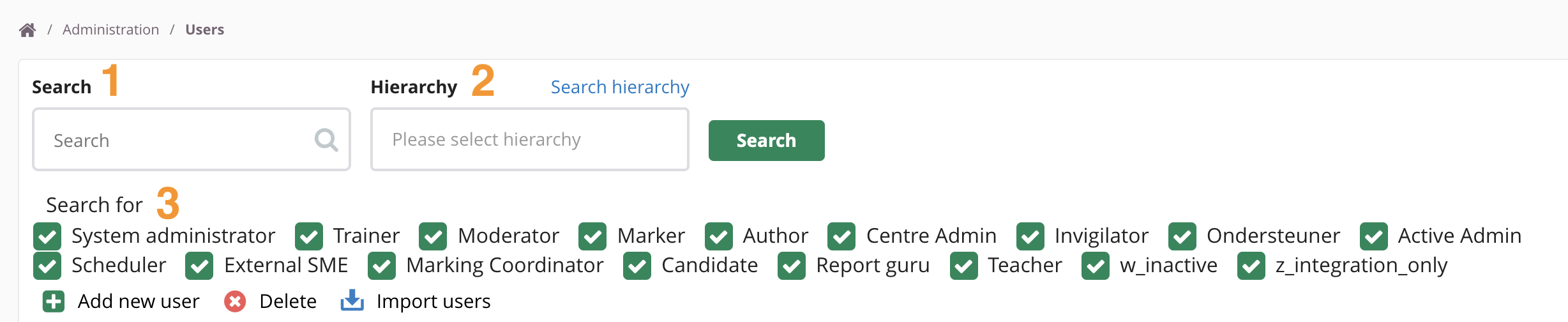
- Use the search bar to find specific users.
- Use the hierarchy search bar to filter results by hierarchy group.
- Use the checkboxes to filter by role.
Click on a user to open their account. From here, you can:
- Edit account details. See User Fields for all available fields.
- Open the Hierarchy tab to view which hierarchies are assigned to this user.
- Click +Add Hierarchy to assign an additional hierarchy to this user.
- Enable or disable roles and permissions per hierarchy. This depends on the user's Site Role.
