

This article introduces score reports in Cirrus.
A score report provides a breakdown of assessment results for each individual candidate, divided into sections or attributes.
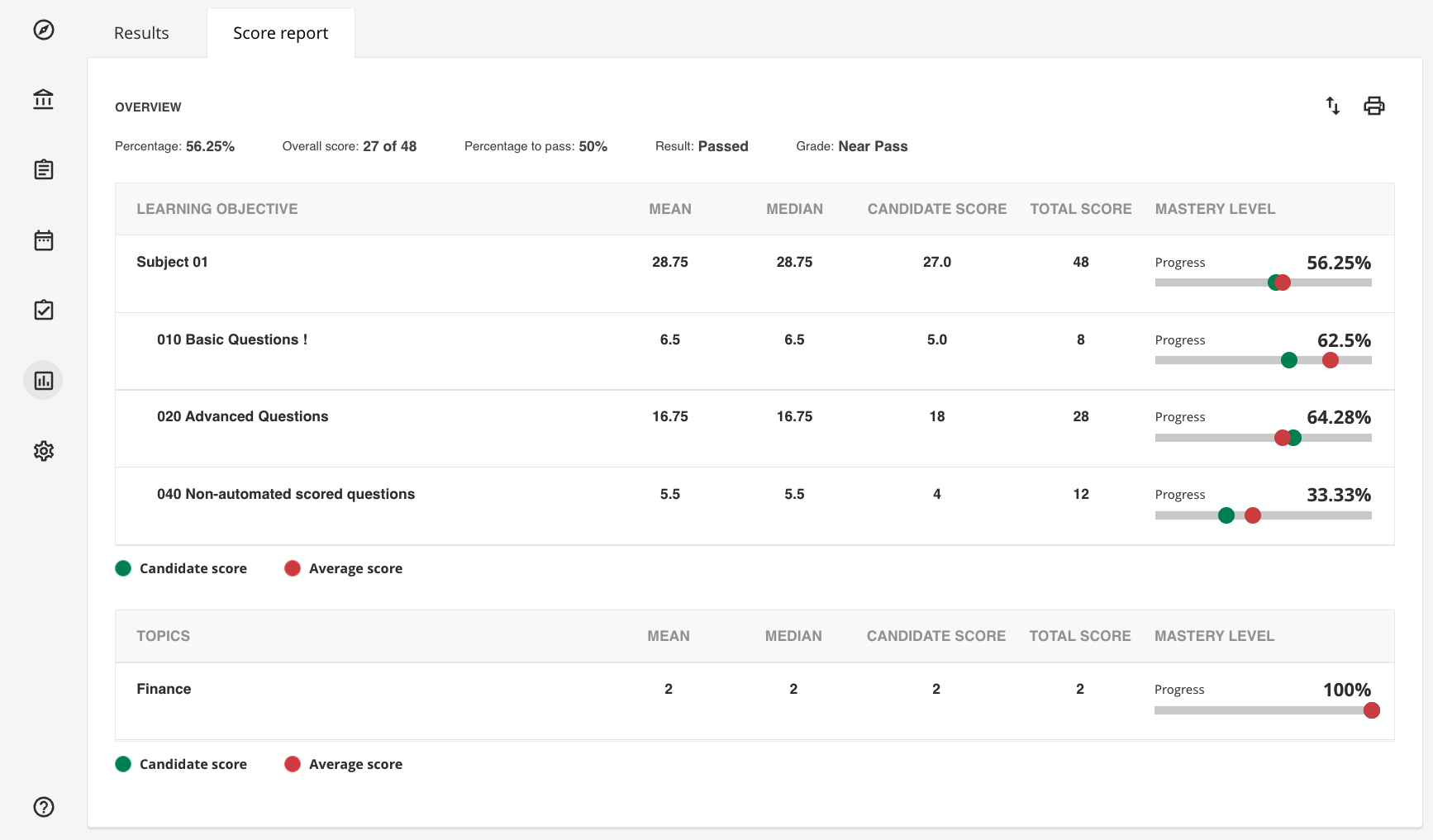
There are two types of score reports:
- Score report based on Learning objectives
- Score report based on Topics
Score reports are designed to give authors the flexibility to choose what information is shown to candidates and authors. This is managed from the Score report section of the assessment Options tab.
The available granularity options are:
- Score report - with Subjects
Shows only the subjects from the connected Learning Objectives, as defined in the Learning Objective repository. - Score report - with Learning Objectives
Shows Learning Objectives with their associated subjects. - Score report - with Topics
Shows the score report organised by topics. Topics and Learning Objectives can be combined to display two different score reports.
These score report options are only available when the Show candidate results field is set to one of the following:
- When assessor decides: The score report is made available to candidates when the assigned assessors publish the final results.
- After each attempt: Each attempt is followed by a score report for the candidate.
- After last attempt: The candidate receives their score report after the final attempt (typically used for assessments that allow multiple attempts).
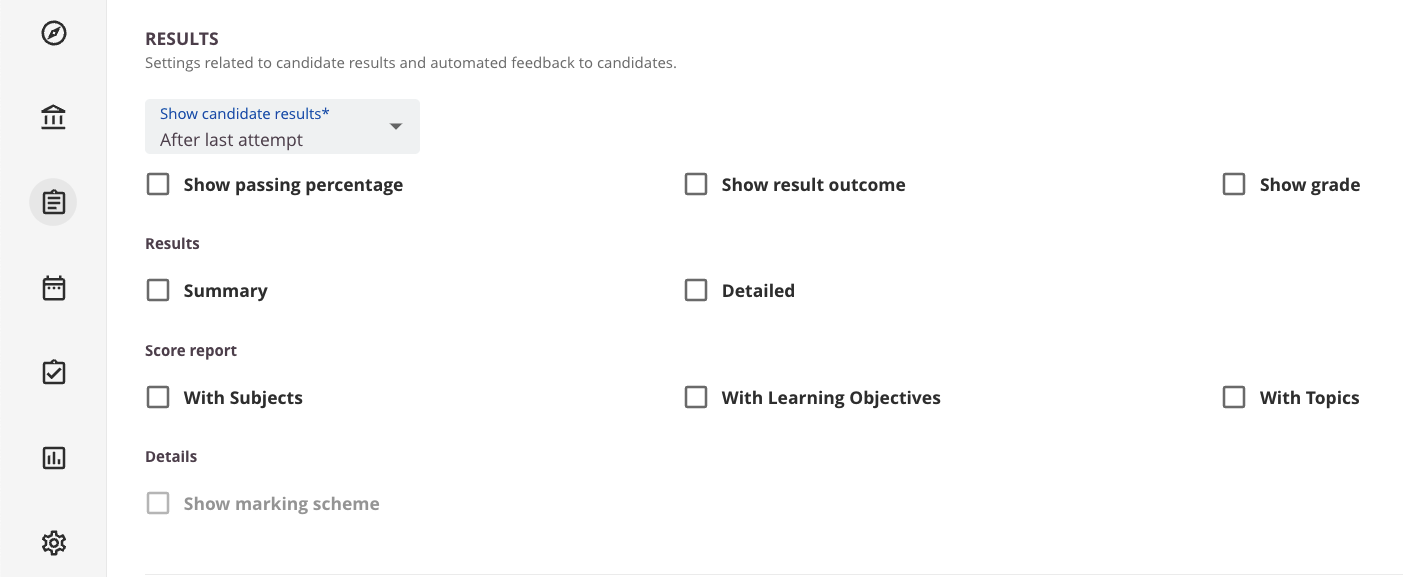
Note that these settings apply from both a candidate and author perspective. If View score report (always) is enabled under Admin > Site Roles > General, this overrides the score report settings in the assessment options: authors will always see a detailed score report with all three parameters (Learning Objectives, Subjects, and Topics). The View score report (always) permission takes priority.
If View score report (always) is disabled, the candidate and author score report settings are identical.
An empty report will be displayed if no Learning Objectives or Topics are used in the questions.
Overview summary
A summary of the candidate's results including:
- Percentage
- Overall score
- Percentage to pass
- Result
- Grade
Column header attributes
- Learning Objective/Topics
- Mean
- Median
- Candidate score
- Total score
- Mastery level - The average score is visible to authors only; candidates see only their candidate score.
Export to Excel
Use the export button in the top right corner to export the report in .xlsx format.
Print score report
Click the printer icon to open a printing options window, where you can customise the output (for example, include or exclude headers and footers).