Reset your password

Prev Next

Use this article if you cannot log in to Cirrus because you have forgotten or lost your password.

Reset your password

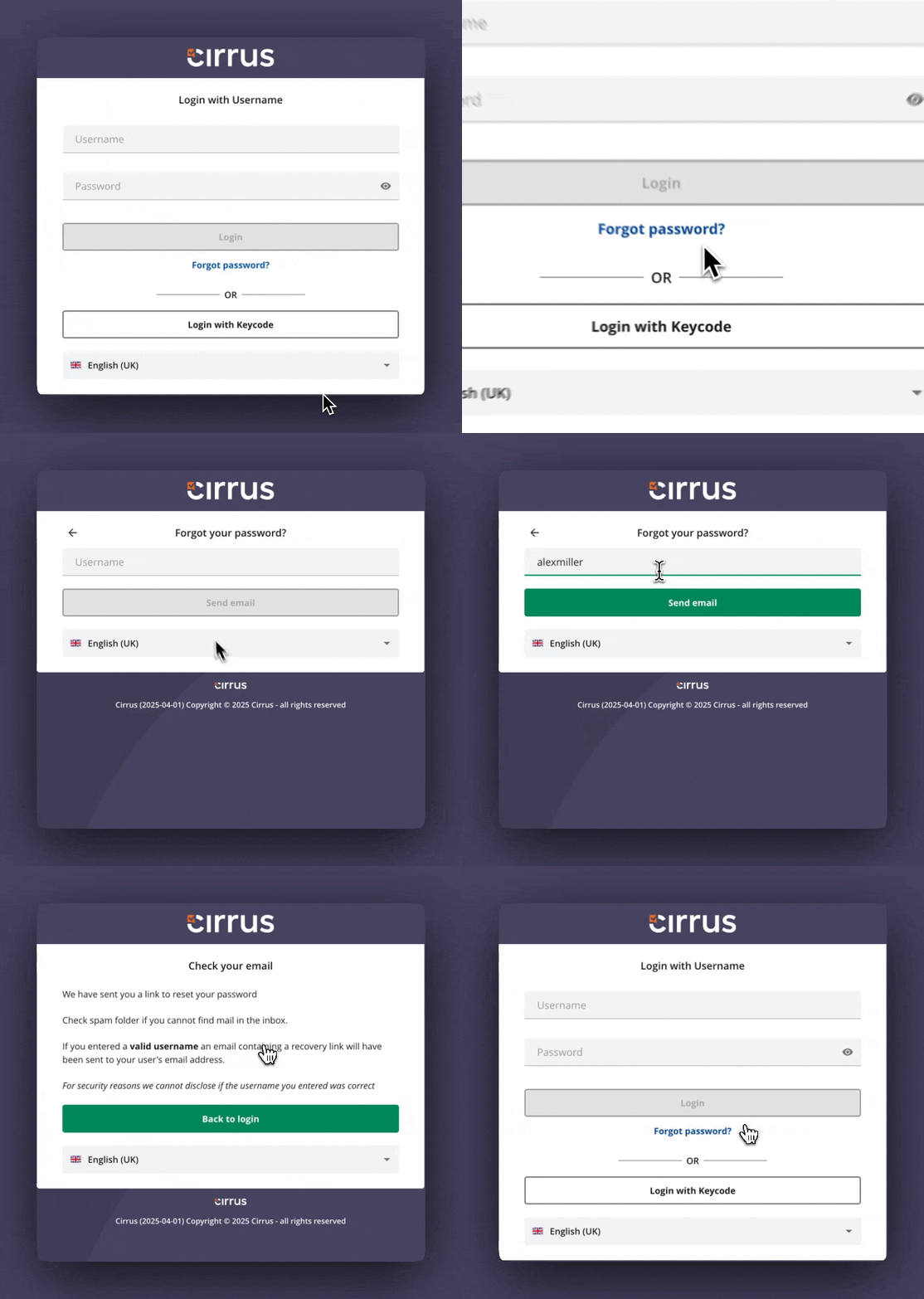
  1. Go to your organisation's Cirrus login page.
  2. Select Cannot log in?
  3. Enter your username.
  4. Cirrus sends a password reset link to the email address on your account. Open the email and follow the link to set a new password.

Resetting a password on the Cirrus login page

No email received

Check your junk or spam folder. If the email is still missing, your username may not match an account, or the email address on your account may be out of date. Ask your administrator to confirm both.

If you do not know your username

Your username is normally your work or study email address, but it can be set to anything by your administrator. If you do not know it, contact your exam provider or administrator.

Related articles