

What is Proctorio live proctoring?
Live Proctoring enables organisations to deliver simultaneous, AI-enhanced, live-proctored remote assessments. Proctors can monitor candidates in real time, access recordings, review incident data, and communicate directly with candidates when needed.
Key capabilities
- Real-time monitoring of candidate sessions
- Live video and screen recording access
- Incident Log visibility with AI-flagged events
- Live chat between proctor and candidate
- Intervention tools to manage candidate behaviour during the exam
Enabling live proctoring
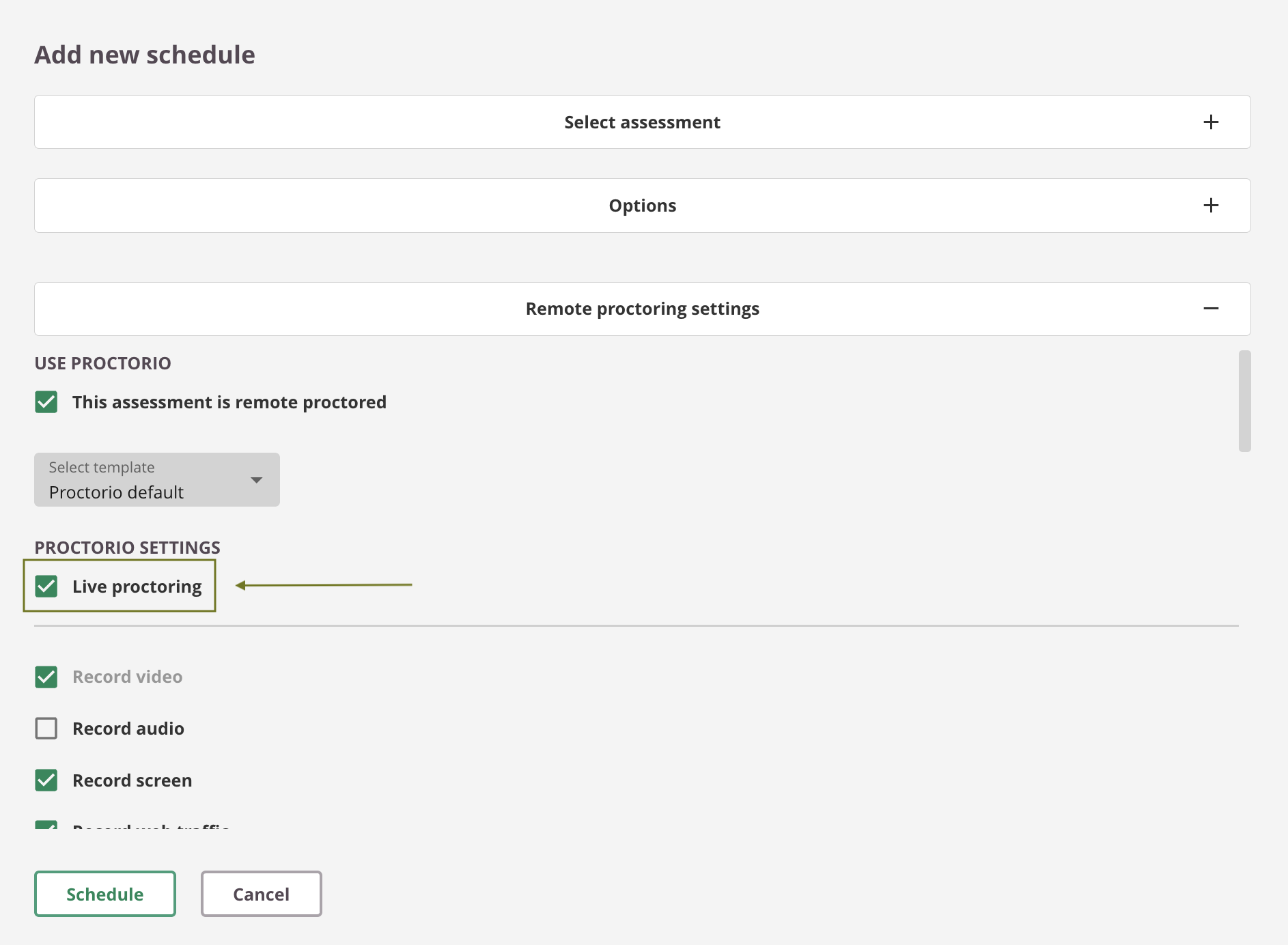
To enable Live Proctoring for an assessment:
- Go to the Schedule dialog
- Select Live Proctoring
- Assign proctors by adding them as Invigilators to the schedule
Accessing the Proctor Dashboard
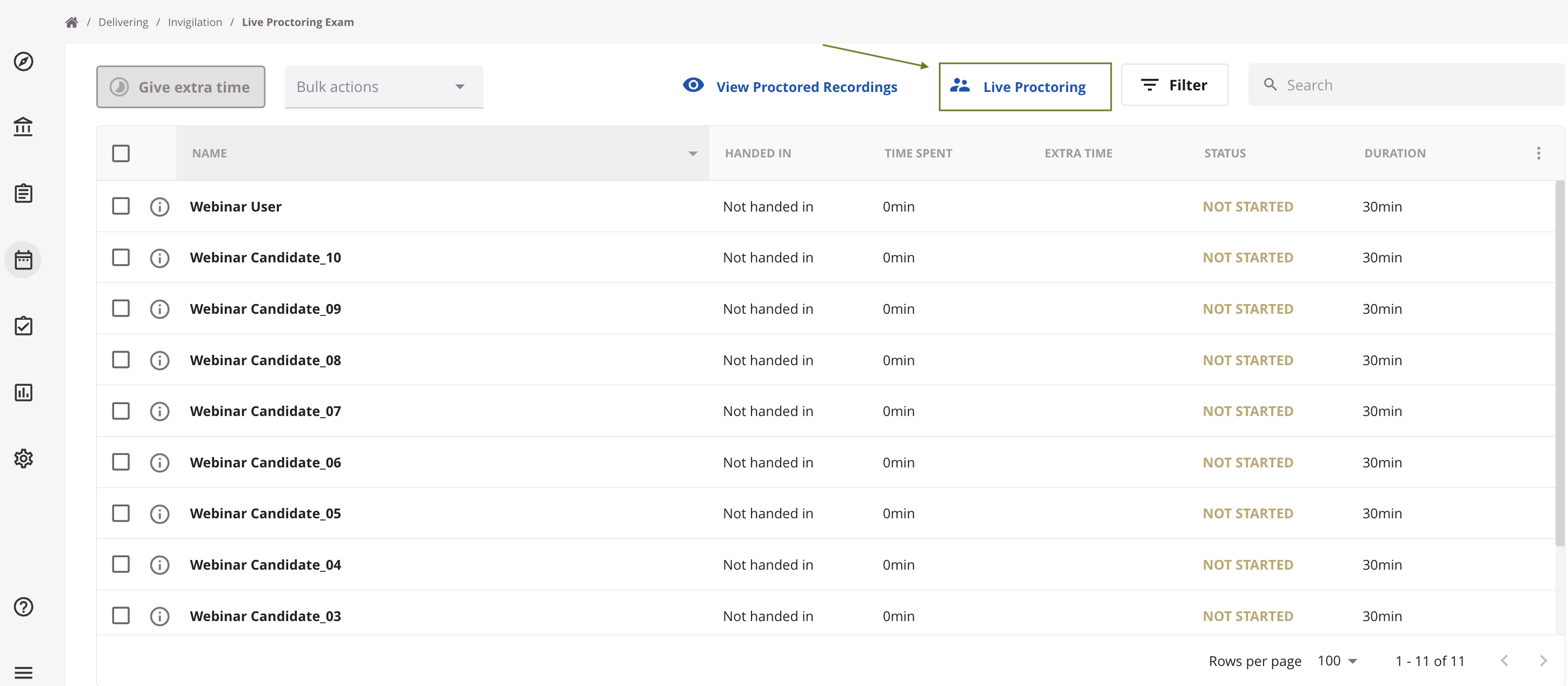
Proctors can access the Live Proctoring dashboard via:
Delivering → Invigilation → Schedule → Live Proctoring
From here, proctors can monitor and manage all active candidate sessions.
Proctor experience
During an exam, proctors can:
- View live candidate recordings
- Monitor Incident Logs in real time
- Chat directly with candidates
- Take action using intervention tools
This enables immediate response to suspicious behaviour or candidate issues.
Post-exam access
After the exam is submitted, the following remain available in the Proctorio Gradebook for further analysis and auditing:
- All candidate recordings
- Incident data
- Full session details