
Assessment versioning
Cirrus supports versioning for assessments, allowing you to manage changes safely and transparently.
Key benefits
- Schedules always use the latest published version, provided it is published at least 20 minutes before the schedule starts.
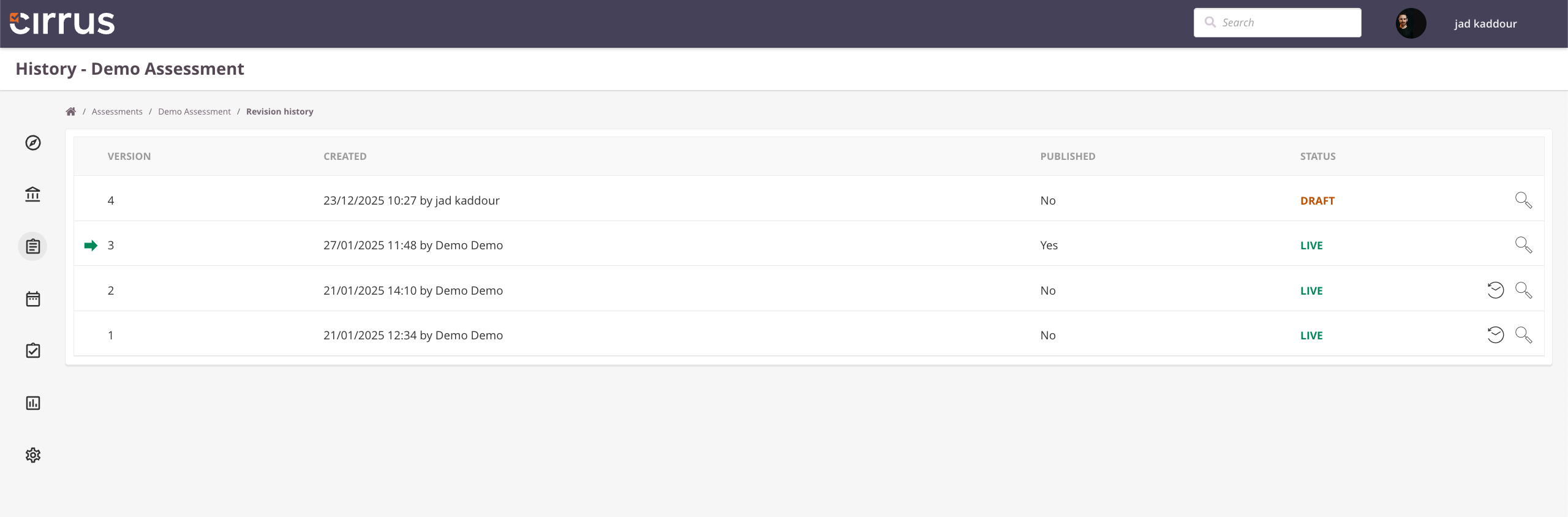
Published versions are indicated by a green arrow and Published: Yes. - Full version history is available, including performance statistics per version, so you can compare outcomes over time.
- Edit locking prevents conflicting changes: while you are editing an assessment, other authors cannot make changes.
Where to find this
All versioning options are available via the […] menu in the top-right corner when working on an assessment (subject to permissions set by your admin).
.png)
How to set up access to versioning?
Who has access to Versioning of Assessments? This is set up by your Admin under Roles defined for Assessment management:
- Go to Admin > Roles > Assessment
- Check the boxes for Create new version and View history